
by Research Team | Sep 7, 2026 | Digital Marketing Audits, PPC and Paid Ads, SEO
Getting an audit sounds simple. Most business owners have no idea what the process actually involves until they are in the middle of it.
A marketing audit process follows a fairly consistent set of steps, regardless of who is running it. This post walks through what happens at each stage, and what you actually receive at the end.
What the marketing audit process typically covers
A digital marketing audit typically covers some combination of technical SEO, content, PPC performance, and backlink health, depending on what was requested.
Scope varies by business. A technical-focused audit will spend more time on crawling and indexing, while a broader audit spreads attention across more categories at a lighter depth.
This is a diagnostic process, not a redesign. The goal is to identify what is happening on the site and in the accounts right now, not to rebuild anything during the audit itself.
The data-gathering stage
Data gathering comes first. This typically includes a full site crawl, a review of analytics, access to ad accounts, and a look at current rankings for relevant keywords.
This stage depends heavily on the business granting access to the right accounts. Without analytics or ad account access, an audit can only work from what is publicly visible, which limits how complete the findings can be.
The more complete the access, the more complete the picture. A partial audit built on limited access will often miss something a full one would catch, especially when tracking gaps sit behind a login an auditor was never given.
The analysis stage and how findings get prioritized
Raw data does not become useful on its own. The analysis stage is where it gets filtered into findings, then ranked by severity and business impact.
This is different from simply listing every technical issue found on a site. A hundred minor issues matter less than three that are actively costing traffic or conversions.
Business context shapes this ranking too. An issue on a page that drives most of a business’s leads matters more than the same issue on a page nobody visits.
What this looks like in practice from intake to findings
In practice, this process often surprises business owners. One business expected a short checklist and instead received a structured report with findings ranked by priority.
The digital marketing audit process for that business surfaced a tracking gap and a content issue that a surface-level review would have missed entirely. Neither problem was visible without pulling analytics and crawl data together.
Once those two findings were addressed, the business had a much clearer picture of where its marketing budget was actually working, and where it was not.
What you actually receive at the end of an audit
A marketing performance report is the typical deliverable. It includes the findings themselves, a priority ranking, and recommended next steps for each one.
The report is meant to be actionable, not just descriptive. A good one tells a business what to fix first and roughly why, not just what was found.
The audit itself does not include implementation, unless that work is separately scoped. Fixing what the report identifies is a distinct next step, not part of the audit process itself.
Frequently asked questions
Business owners tend to ask similar questions before commissioning their first marketing audit.
How long does a marketing audit process take?
This depends on scope, but most audits take one to three weeks from data gathering to a completed report. A narrower audit tends to move faster than a broad one.
Do I need to give access to my ad accounts and analytics?
Yes, for the most accurate results. Without this access, an audit can only work from what is publicly visible, which limits how complete the findings can be.
Will the audit tell me exactly what to fix first?
Yes. A useful audit report ranks findings by priority rather than listing every issue with equal weight, so the most important fixes are clear.
Does an audit include making the actual fixes?
No, not typically. An audit identifies what needs to change. Implementing those changes is usually a separate, follow-on step.
Key Takeaways
– A marketing audit process typically covers technical SEO, content, PPC, and backlinks, depending on scope.
– Full account access produces more complete findings than a review based only on public data.
– Findings are ranked by severity and business impact, not listed in equal weight.
– The audit deliverable is a prioritized report, not the implementation of the fixes themselves.
About the audit process behind this post
This walkthrough reflects the audit process used at Online Marketing Goddess. The agency’s approach draws on a published book on incremental marketing budgets and ongoing speaking engagements on SEO and PPC strategy for small businesses.
See what the process would reveal for your business
The process is straightforward, even if what it finds is not always expected. Get an Audit and see exactly what it would reveal for your marketing, step by step, from intake through the final report.

by Research Team | Sep 3, 2026 | Digital Marketing Audits, SEO
A site can have hundreds of backlinks and still underperform if those links carry little relevance or trust.
Link count alone does not predict SEO performance. A backlink audit exists to look past the number and check what those links are actually worth.
Let us explore what a backlink audit checks for, what makes a link toxic, and how to track backlink profile health over time.
What a backlink audit is actually checking for
A backlink audit reviews a site’s inbound links for relevance, authority, and risk. It is not simply a count of how many sites link back.
Link quantity and link quality are separate things. A site with a thousand low-value links can be outperformed by a site with a hundred relevant, trusted ones.
A healthy backlink profile is not the same as a large one. Size alone tells you very little about whether those links are actually helping.
The link quality signals that matter most
Topical relevance of the linking site is one of the clearest signals. A link from a site covering a related industry carries more weight than one from an unrelated site.
The linking site’s own trustworthiness matters too. A link from a site with weak content or a poor reputation contributes less, and can sometimes contribute risk instead of value.
How the link is placed on the page also counts. A link embedded naturally within relevant content signals something different than one buried in a footer or a sidebar list.
A single relevant, trusted link often outweighs dozens of low-quality ones. An SEO expert reviewing a backlink profile is usually looking for that handful of links that matter, not a raw total.
What toxic backlinks look like and why they matter
Common toxic patterns include link farms, irrelevant foreign-language spam sites, and paid link networks built specifically to manipulate rankings.
According to Google’s own spam policies, link spam includes buying or selling links, excessive link exchanges, and using automated programs to build links at scale.
Toxic links do not always cause active harm on their own. Their presence is still worth addressing, since a heavily contaminated profile can signal risk that is better resolved before it becomes a bigger problem.
What this looks like in practice during a backlink audit
In practice, this pattern shows up often. A site had a large backlink count but flat rankings for over a year.
A backlink audit found that a high share of those links came from low-relevance, low-quality sources that added little real value. Only a small portion of the profile was genuinely useful.
After addressing the weakest links and building a handful of genuinely relevant new ones, the site’s rankings began moving again within the following quarter.
What to measure to track backlink profile health
Referring domain relevance is the first thing worth tracking, since it reflects whether new links are coming from sites that actually connect to the business.
Link growth rate is the second signal. A sudden, unnatural spike in new links is often a red flag rather than good news.
The ratio of quality links to low-value ones rounds this out. Backlink health should be reviewed periodically, not treated as a one-time check.
Frequently asked questions
Business owners tend to ask similar questions once they learn their backlink profile is part of an SEO audit.
What makes a backlink “toxic”?
A toxic backlink typically comes from a link farm, an irrelevant spam site, or a paid link network built to manipulate rankings rather than reflect genuine relevance.
Does having more backlinks always help SEO?
No. A large number of low-quality links can matter less than a small number of relevant, trusted ones, and in some cases a low-quality profile can carry risk.
Should I try to remove or disavow bad backlinks?
It is worth reviewing rather than panicking over. Most profiles have some low-value links, and addressing the clearest risks tends to matter more than trying to remove every weak link.
How often should a backlink audit happen?
Reviewing backlink health alongside a broader SEO audit, roughly once a year or after a major site change, is a reasonable cadence for most sites.
Key Takeaways
– A backlink audit checks link relevance, authority, and risk, not just how many links exist.
– A single relevant, trusted link often outweighs dozens of low-quality ones.
– Toxic link patterns include link farms, irrelevant spam sites, and paid link networks.
– Backlink profile health should be reviewed periodically, not just once.
Find out what your backlink profile is really telling you
Link count alone will not tell you whether your backlinks are helping or holding you back. Get an Audit and see what your profile actually reveals, along with the rest of the technical and content picture behind your rankings.

by Research Team | Sep 1, 2026 | Digital Marketing Audits, SEO
Strong content on the topics your site already covers will not fix rankings on the topics it never mentions.
If competitors show up for questions and searches your site is silent on, that silence is costing you traffic you never had a chance to earn.
This post covers what a content gap analysis measures, how it fits into a broader search engine optimization (SEO) strategy, and how to decide which gaps are actually worth filling. It’s the same process we walk through as part of every digital marketing audit, and one covered in our founder’s book on maximizing marketing budgets.
What a content gap analysis actually measures
A content gap analysis compares what a site covers against what competitors rank for among the same target audience. It shows where the coverage does not overlap.
This is different from a general content audit. An audit reviews the quality of content that already exists. A gap analysis looks at what is missing entirely.
Gaps show up two ways. Some topics are missing outright, and others exist on the site but are covered too thinly to compete for real search visibility.
How to run a basic content gap analysis
The process starts with identifying a handful of close competitors, ideally ones targeting the same audience and services, not just any large brand in the industry. An SEO expert can help narrow this list to the competitors that actually matter for your market.
From there, pull the topics those competitors rank for and compare that list against the site’s own content. What shows up on their side and not on yours is the gap.
Topic clusters matter here. Grouping related gaps together, rather than treating each keyword as its own isolated task, makes prioritization and content planning far more manageable.
How to tell which content gaps are worth filling
Not every gap deserves a new page. Search intent match, commercial relevance, and realistic ranking potential should all factor into what gets prioritized.
A common mistake is chasing every gap a competitor covers, regardless of whether it fits the business. A gap that does not serve the target audience is not worth filling just because it exists.
Some gaps are best left alone on purpose. If a topic sits outside what a business actually offers or wants to be known for, skipping it is a legitimate strategic choice.
What this looks like in practice for a service business
In practice, this pattern shows up often. A business was ranking well for its core services but invisible for adjacent, commonly searched questions that competitors had covered.
A gap analysis surfaced several of these adjacent topics: questions potential clients were searching before they were ready to buy, but that the site never addressed at all.
Filling those specific gaps with targeted content brought in new organic traffic at an earlier stage of the buying process, feeding leads into the core service pages the site already had.
What to measure after filling content gaps
Rankings for the specific targeted topics are the first thing worth tracking, since that tells you directly whether the new content is closing the gap it was built for.
Organic traffic to the new pages is the second signal. Rankings without traffic usually mean the topic was chosen for the wrong search intent.
A realistic timeline matters here too. New content on a competitive topic can take a full quarter or more to show meaningful movement, and that is normal rather than a sign something went wrong.
Frequently asked questions
Business owners tend to ask similar questions once they notice competitors ranking for topics their own site does not cover.
What is a content gap analysis?
A content gap analysis compares a site’s content coverage against competitors to find topics they rank for that the site does not address at all.
How is a content gap analysis different from a content audit?
A content audit reviews the quality of content that already exists. A gap analysis looks specifically at what content is missing entirely.
How many competitors should I analyze?
A handful of close, relevant competitors is usually more useful than an exhaustive list. Analyzing too many competitors at once tends to dilute the findings rather than sharpen them.
Do I need to fill every content gap I find?
No. Prioritizing gaps by search intent, commercial relevance, and fit with the business tends to produce better results than treating every gap as equally worth pursuing.
Key Takeaways
– A content gap analysis compares what a site covers against what competitors rank for, revealing what is missing entirely.
– Gaps appear both as missing topics and as existing content that is too thin to compete.
– Not every gap is worth filling; intent, relevance, and business fit should guide prioritization.
– New content aimed at a gap can take a full quarter or more to show meaningful ranking movement.
Find out which content gaps are costing you traffic
If competitors keep showing up where your site does not, a content gap analysis will show you exactly why. Get an Audit and see the specific topics you are missing.
by Research Team | Aug 21, 2026 | Digital Marketing Audits, PPC and Paid Ads, SEO
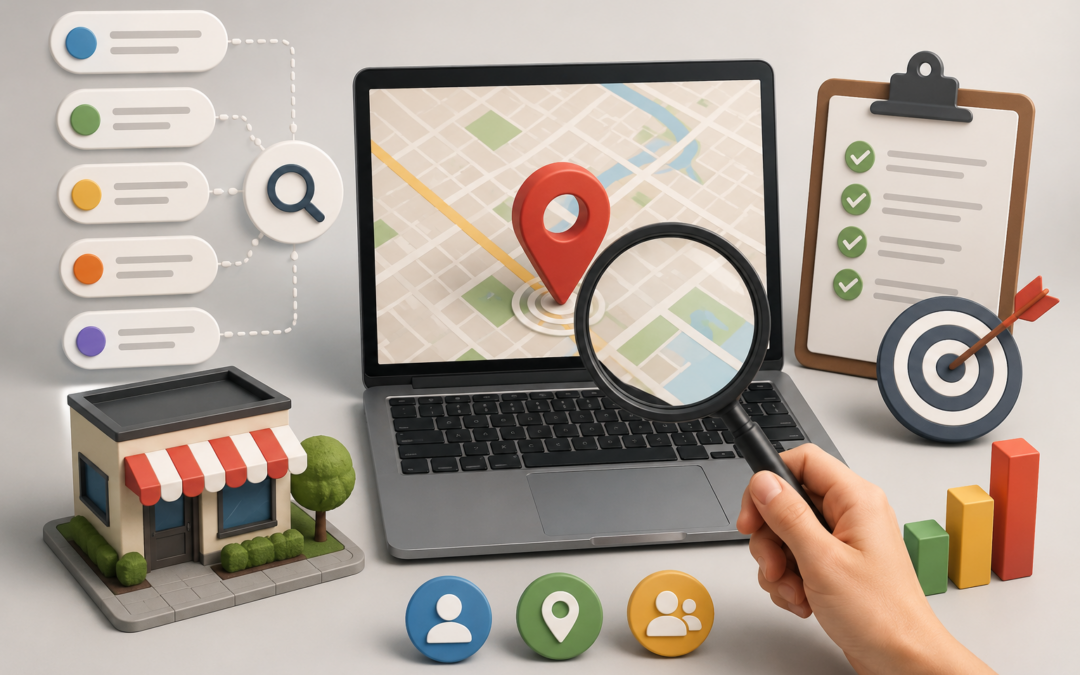
Most local service businesses guess at keywords instead of researching them. They pick terms that sound right, not terms their actual customers type into Google. That gap quietly caps how many of the right customers ever find them, and it’s often the first sign a business needs a closer look at search engine optimization (SEO) fundamentals. This post walks through how to choose keywords for local SEO with a framework you can use today.
How to Choose Keywords for Local SEO
Local keyword research starts with customer language, not assumptions. A national retailer and a local service business need different terms, even if they sell similar things. Local intent almost always includes a place, a service, and an urgency signal, like “same-day” or “near me.” The framework below builds outward from your services to the exact phrases customers use.
Start with the services you actually want more leads for
Before you research a single keyword, list the services you want to grow. Each service deserves its own page, not a shared spot on one general services page. A roofer offering repairs, replacements, and inspections needs three distinct pages, not one.
Prioritize this list by profit margin and current lead volume. Services that make the most money or already generate some interest deserve keyword research first.
The actionable step here is simple. Write down your core services before you open any research tool, then rank them by business priority.
Add location modifiers the way real customers search
Once you have your service list, add location terms the way customers actually search, not the way a directory listing might. That includes city names, neighborhood names, and phrases like “near me” or “in [service area].”
A Search Engine Journal guide to optimizing your Google Business Profile recommends working relevant keywords and search phrases naturally into your profile description, the same way you would on a website page. That habit is worth carrying over to your site copy too, rather than treating your profile and your website as two separate keyword strategies.
Avoid stacking city names unnaturally into a single sentence. One clear, natural mention per page reads better and performs better than a forced list.
Check search intent before committing to a keyword
Not every keyword that mentions your service is worth targeting. Some searches are informational, like “how does a roof inspection work.” Others are transactional, like “roof inspection near me.” Search Engine Journal’s keyword research guide frames this as matching a keyword to the page that best answers the underlying query, since queries fall into informational, navigational, and transactional categories.
Before committing to a keyword, check what’s currently ranking for it. If the top results are all blog posts answering a question, that term likely won’t convert on a service page.
The fix is a quick manual check. Search the term yourself and look at what Google is already showing before you build a page around it.
Use competitor gaps to find keywords they’ve missed
Similar businesses in your market often miss service-area or service-type combinations. One might rank well for general repair terms but skip newer service lines or specific neighborhoods entirely.
Run a gap analysis against the businesses currently ranking above you. Note which service pages or location pages they’re missing, and use that list to prioritize your next round of content.
Review and refine your keyword list on a regular basis
Search behavior shifts as your service area, competitors, and customer base change. A keyword list built two years ago rarely reflects how customers search today.
In practice, this shows up gradually. One local service client had never reviewed their keyword list after the initial setup. A review found they were missing pages for two neighborhoods generating steady search volume, and one service page was targeting a term with almost no local search activity at all. Neither gap was visible without a structured review.
The step here is straightforward. Put a recurring keyword review on the calendar, at least once or twice a year, and adjust your pages as your business and market change.
A solid keyword list is the foundation, but turning it into pages that actually rank usually takes ongoing, hands-on execution most businesses don’t have the bandwidth to sustain alone.
Frequently asked questions
Here are a few common questions local business owners ask when they start keyword research.
How many keywords should a local business target?
The right number depends on how many services and service areas you cover. A business with three services and two locations needs a smaller list than one with ten services across a wider region.
Should I include my city name in every page title?
Include it where it reads naturally, usually once per title. Stacking multiple city names into a single title looks forced and can hurt readability more than it helps rankings.
What’s the difference between local SEO and regular SEO?
Local SEO adds a geographic and intent layer on top of standard SEO. It focuses on searches tied to a location and a specific service, rather than broad national terms.
How do I find out what keywords my customers actually use?
Check your Google Business Profile insights, your website’s search console data, and the language customers use in reviews and phone calls. These sources reflect real search behavior, not guesses.
Key Takeaways
– Local keyword research starts with your service list, not a generic keyword tool search.
– Location modifiers should match how customers actually search, not a forced list of city names.
– Checking search intent before building a page prevents wasted content and wasted budget.
– A regular keyword review catches gaps that stay invisible without a structured check.
Work With Me
Choosing the right keywords is only the first step. Turning that list into pages that actually rank takes ongoing strategy. If your local service business isn’t showing up for the searches that matter, an SEO expert can help you build a plan tied to real search behavior. Work With Me to build a keyword strategy that’s actually built around your customers.

by Research Team | Aug 18, 2026 | Digital Marketing Audits, Marketing Strategy, PPC and Paid Ads, SEO
Your traffic can drop, your leads can slow down, and your website can look fine on the surface the whole time. Most business owners don’t know they have search engine optimization (SEO) problems until they run a full SEO health check. This post walks through the signs you need an SEO audit and the practical step to take for each one.
How do you know you need an SEO audit?
Some SEO problems are loud. Others sit quietly in the background for months. A dip in leads, a plateau in traffic, or a slow decline in rankings can all point to the same root cause: an SEO issue that has never been diagnosed. The signs below are the ones that come up most often when a business finally runs an audit.
Your organic traffic has dropped without a clear reason
A sudden drop usually points to one cause: a technical error, a security issue, or an algorithm update. A slow, gradual decline often points to something different, like content that has aged out of relevance or competitors that have closed a gap.
If you’re not running SEO checks regularly, this kind of decline can go unnoticed for months. Google’s own guidance on debugging traffic drops recommends reviewing your Search Console performance data by page and query before assuming anything is broken.
The actionable step here is straightforward. Pull your Search Console data, segment it by page and query, and look for the point where the trend line changes.
Your website ranks for the wrong keywords
Impressions can look healthy while clicks stay flat. That pattern usually means your pages rank for terms that don’t match what searchers actually want. A blog post might rank for a broad, informational term when the page itself is trying to sell a service.
This mismatch is common and fixable. A technical SEO audit checklist typically includes a review of keyword-to-page mapping, so each page targets the intent it was built for.
The fix starts with a simple comparison. Match your top pages against the keywords they currently rank for, and flag any page where the two don’t line up.
Technical SEO problems are quietly costing you visibility
Site speed, mobile usability, and crawl errors rarely announce themselves. A slow page or a broken redirect chain won’t trigger an alert. It just costs you visibility, one small percentage at a time.
Google’s guidance on Core Web Vitals points to loading speed, interactivity, and visual stability as the three factors it measures for page experience. In practice, a digital marketing audit almost always surfaces at least one of these issues on a site that hasn’t been checked recently.
The step to take now is a full technical crawl. Check for broken links, slow-loading pages, and mobile display issues before they compound further.
Your competitors are outranking you for terms you should own
If a similar business in your space consistently outranks you for the terms that matter most, the gap is usually one of three things: content depth, backlink strength, or on-page optimization. None of these are permanent. All of them are diagnosable.
Run a gap analysis against the pages currently outranking yours. Note what those pages cover that yours doesn’t, and use that list to prioritize your next content updates.
You haven’t reviewed your SEO performance in the last 6 to 12 months
Search behavior changes even when your website doesn’t. A page that ranked well a year ago can quietly lose ground as competitors update their content and Google refines its systems.
In practice, this shows up as a slow fade rather than a dramatic drop. One ecommerce client hadn’t reviewed their site in over a year. Their audit found a 22 percent gap between impressions and clicks, along with three product pages that had dropped out of the top 20 results entirely. None of it was visible without a structured review.
The step here is simple: put a recurring review on the calendar. Once or twice a year is a reasonable starting point for most small businesses.
Frequently asked questions
Here are a few common questions business owners ask once they suspect an SEO problem.
How often should a business get an SEO audit?
Once a year is a reasonable baseline for most small businesses. Ecommerce sites or businesses in competitive markets often benefit from checking every six months instead.
What does an SEO audit check?
A full audit typically reviews technical health, on-page optimization, content quality, and backlink profile. Some audits also review keyword-to-page mapping and site structure.
Can I tell if my site has SEO problems without an audit?
Some signs are visible, like a traffic drop or a keyword mismatch. Others, like a slow technical issue or a content gap, usually stay hidden until a structured audit surfaces them.
How long does an SEO audit take?
Timelines vary by site size and complexity. A small business site typically takes less time to review than a large ecommerce catalog with thousands of pages.
Why do you need an SEO audit?
You need an SEO audit when you cannot explain what your traffic is doing. Most sites lose visibility slowly, through aging content, technical faults that never trigger an alert, and competitors closing gaps you have not looked at. None of that announces itself. An audit turns a vague sense that something is off into a specific, ordered list of what to fix first.
How much does an SEO audit cost?
An SEO Audits start at $497 and the audit is usually priced on the size and complexity of the site rather than by the hour. A small business site with a few dozen pages takes far less review than an ecommerce catalogue running thousands of product URLs. The other factor is depth: a technical-only crawl costs less than a full review covering technical health, content, keyword mapping and backlink profile.
Key Takeaways
– A sudden traffic drop and a slow decline usually point to different causes, and each needs its own fix.
– Ranking for the wrong keywords often shows up as high impressions and low clicks.
– Technical issues like site speed and crawl errors rarely announce themselves, but they cost visibility over time.
– A digital marketing audit turns these signs into a clear, prioritized action plan.
Get an Audit
You don’t need to guess which of these signs applies to your site. An SEO expert can walk through your traffic, rankings, and technical health in one review. Get an Audit and get a clear picture of where your traffic is going.

by Research Team | Aug 15, 2026 | Digital Marketing Audits, PPC and Paid Ads, White Label Marketing
Most business owners and in-house marketers open Google Analytics to check traffic numbers and close it again. The session count goes up. The page views look reasonable. And yet the leads are not coming in at the rate the traffic suggests they should be.
The data that explains why traffic is not converting is in the same platform. It just requires knowing which reports to look at and what the numbers are actually telling you. The post on why your website gets traffic but no leads covers the most common reasons that pattern develops. This post focuses on how to use Google Analytics specifically to find where the conversion breakdown is happening and what to do about it.
What Google Analytics actually tells you about conversion performance
Google Analytics tracks what visitors do on the site after they arrive: which pages they visit, how long they stay, where they exit, and whether they complete a defined goal or conversion action. That behavioral data is the diagnostic layer that sits beneath the traffic numbers most people focus on.
Without conversion goals or key events configured in Google Analytics, the platform shows traffic behavior but cannot identify whether that behavior is producing results. Configuring goals is the prerequisite for using Analytics as a conversion diagnostic tool. A platform that only shows sessions and page views is a traffic counter, not a performance diagnostic.
The most useful conversion-related data sits in four areas: audience behavior by page, traffic acquisition source, conversion funnel completion, and goal or key event rates. Each area answers a different diagnostic question about why visitors are arriving but not converting.
It is worth noting the distinction between Google Analytics and Google Ads conversion tracking. Analytics tracks behavior across the full site session and attributes conversions to traffic sources. A PPC ads agency (PPC stands for pay-per-click) uses Ads conversion tracking to attribute specific outcomes to specific ad clicks and campaigns. Both serve different diagnostic purposes and work best when used together rather than as alternatives. The same applies to search engine optimization (SEO) traffic: Analytics shows which organic search sessions convert, and at what rate, making it the primary diagnostic tool for both paid and SEO channels.
The reports described in this post reflect the Google Analytics 4 interface, which is the current version of the platform.
How to set up conversion goals so the data means something
Without key events configured, Google Analytics 4 cannot tell you whether visitors are completing the actions that matter to the business. This is the most common reason a site appears to have a conversion problem when the real problem is a measurement gap.
In GA4, conversions are tracked as events. The key events most worth configuring for a service business include form submissions, contact page visits that result in a form completion, phone call link clicks, and for ecommerce businesses, purchase completions.
To configure a key event for a form submission, identify the confirmation or thank-you page the visitor reaches only after successfully submitting the form. Mark the page view event for that URL as a key event in the GA4 admin interface. The tag should fire only when the form is successfully submitted, not when the form page is viewed. Firing on page view rather than form completion is the most common misconfiguration and produces inflated conversion data that leads to the wrong conclusions.
Verify that key events are recording correctly before drawing any conclusions from the conversion data. A single session where the conversion fires correctly in real-time confirms the setup is working. All subsequent diagnostic analysis depends on that confirmation.
In practice: A service business with a contact form on three pages, including the homepage, services page, and about page, often has the conversion event misconfigured to fire on page load rather than on submission. The result is a reported conversion rate that looks healthy (sometimes 8–12%) when the real submission rate is closer to 1–2%. The first step in any conversion audit is confirming the event fires on completion only, not on page view. Running a test submission in real-time and watching for the event in the GA4 real-time report takes less than five minutes and immediately tells you whether the data is trustworthy.
The reports that reveal why visitors are not converting
Four reports in GA4 provide the most direct answers to why visitors are arriving but not converting.
Landing page report. Found in the Engagement section. Shows which pages visitors land on first, how many sessions each page receives, and the engagement rate and conversion rate for each entry point. A page with high sessions and a low conversion rate is the highest-priority candidate for investigation. A low engagement rate alongside a low conversion rate signals that visitors are leaving before interacting with the content at all, which points to a message match problem rather than a conversion path problem.
Traffic acquisition report. Found in the Acquisition section. Shows where visitors are coming from across organic search, paid search, direct, referral, and social channels. Filter the report by conversion rate rather than session volume. A channel driving high traffic volume but low conversion rate is either bringing the wrong audience or sending them to a page that does not match what they were looking for when they clicked.
Funnel exploration report. Available in the Explore section. Allows the creation of a custom funnel that tracks how visitors move through a defined sequence of pages or events toward conversion. This report shows exactly where visitors are exiting the conversion path. A funnel that loses most visitors between the service page and the contact form points to a problem on the service page itself or to friction in the path between the two.
User path exploration. Also in the Explore section. Shows what visitors actually do after landing on a specific page rather than what the site design intends them to do. A pattern of visitors landing on the homepage and then navigating to the about page before exiting is a different problem from visitors navigating from the homepage to a service page and then to the contact page. The actual path reveals where intent is present and where it is being lost.
What to measure and what the numbers are telling you
The pattern in the data points to the type of problem before any individual page is examined. These are the four most common patterns and what they indicate.
High traffic with a low conversion rate across the site points to either the wrong audience arriving or the pages they land on failing to convert them. Check the traffic acquisition report to identify which channels are bringing the lowest-converting visitors and the landing page report to find which pages have the widest gap between sessions and conversions.
High engagement with a low conversion rate on specific pages means visitors are reading the content but not taking action. The problem is most likely in the call to action placement, the friction in the conversion path, or a disconnect between what the content promises and what the conversion step asks the visitor to do.
Low engagement rate across multiple high-traffic pages means visitors are arriving and leaving without interacting. This pattern points to message match problems between the traffic source and the pages being served.
High drop-off at a specific step in the funnel exploration means something on that page or between that page and the next is creating friction. Review that page for clarity, load speed, call to action visibility, and whether the content gives the visitor a clear reason to take the next step.
What to watch and what good looks like: For a service business, a contact form submission rate between 2% and 5% of sessions on the page containing the form is a reasonable starting baseline. Below 1% warrants investigation. An engagement rate below 40% on a key landing page signals that visitors are leaving before reading anything meaningful. Use these as starting benchmarks rather than targets. The goal is to understand your current baseline and measure improvement against it after making changes.
What to do with the findings from a Google Analytics conversion audit
Analytics findings are only useful when they are translated into specific actions.
Prioritize by traffic volume. A conversion problem on a page receiving five hundred sessions per month has significantly more impact than the same problem on a page receiving twenty. Start with the highest-traffic pages and the highest-volume traffic sources.
Match each finding to a specific fix. A message match problem requires a headline or content change on the landing page. A funnel drop-off requires removing friction from the conversion path or improving the clarity of the next step. A low-converting traffic source requires either audience refinement in the campaign settings or a dedicated landing page built specifically for that source and its intent.
Set a measurement window of four to six weeks after making changes before evaluating whether the fix produced improvement. Conversion rate changes need sufficient traffic volume to produce reliable comparisons. Drawing conclusions from a few days of data after a significant page change produces misleading readings.
A digital marketing audit puts Google Analytics findings in the context of the full marketing mix, combining conversion data with a review of SEO performance, PPC campaign structure, and technical site health to produce a complete picture of what is limiting conversion and a prioritized plan for addressing it.
Frequently asked questions about Google Analytics conversion tracking
How do I set up conversion tracking in Google Analytics 4?
Conversion tracking in GA4 is based on events. The process involves identifying the actions that represent conversions for the business, confirming those actions are being tracked as events in the GA4 data stream, and marking the relevant events as key events in the GA4 admin interface. For form submissions, the most reliable approach is to use the confirmation or thank-you page URL as the trigger for the conversion event. The event should fire only when the visitor successfully reaches that page, not when they view the form. Verify the setup is recording correctly in the real-time report before relying on the data for any diagnostic analysis.
What is a good conversion rate in Google Analytics?
Conversion rate benchmarks vary significantly by industry, traffic source, and conversion type. A contact form submission rate on a service business website looks different from a purchase completion rate on an ecommerce site. Comparing against a generic industry benchmark is less useful than establishing the current baseline for the specific site and measuring improvement against that baseline after making targeted changes. The goal of a conversion analysis is to understand what is preventing the current visitors from converting and fix it, not to hit an external number.
Why is my Google Analytics showing traffic but no conversions?
The three most common causes are that key events or conversion goals have not been configured in GA4, that the conversion tracking is misconfigured and not recording completions correctly, or that visitors are arriving but not completing the conversion action for a content or user experience reason. The first step is always to confirm that conversion tracking is set up and recording correctly before drawing any conclusions about visitor behavior. A misconfigured conversion setup produces data that looks like a conversion problem when it is actually a measurement problem, and the fixes are completely different.
What is the difference between sessions and conversions in Google Analytics?
Sessions represent individual visits to the site. Conversions represent completed goal actions within those visits. A site can have thousands of sessions and zero recorded conversions if no key events are configured or if visitors are not completing the defined actions. Conversion rate is the percentage of sessions that result in a conversion and is the metric that most directly reflects whether the site is producing business value from the traffic it receives. Session volume tells you how many people visited. Conversion rate tells you how many of them did what the business needed them to do.
Key Takeaways
– Google Analytics conversion tracking requires key events to be configured before the platform can diagnose conversion problems. Without them, the data shows traffic behavior but cannot identify whether that behavior is producing results.
– The four most useful reports for diagnosing conversion problems are the landing page report, the traffic acquisition report, the funnel exploration report, and the user path exploration. Each answers a different diagnostic question.
– The pattern in the data points to the type of problem: high traffic with low conversion points to audience or page mismatch; high engagement with low conversion points to call to action or path friction; low engagement points to message match failure.
– For a service business, a form submission rate below 1% of page sessions warrants investigation. An engagement rate below 40% on a key landing page signals visitors are leaving before reading. Use these as diagnostic starting points, not fixed targets.
– Prioritize fixes by traffic volume, match each finding to a specific corrective action, and allow four to six weeks after making changes before measuring whether the conversion rate has improved.
Get an Audit
Google Analytics shows you what visitors are doing. A structured audit tells you why and what to do about it.
If your site is receiving traffic but not producing the leads or conversions the volume suggests it should, the answer is in the data. A structured review combines Analytics findings with a full assessment of your SEO, PPC, and technical performance to produce a prioritized action plan rather than a list of observations. Get an Audit and find out exactly where your traffic is going and what is stopping it from converting.

